How-To Access GMail in offline mode from your browser
Gmail Labs has launched yet another very useful feature 'offline Gmail'. So even if you're offline, you can open your web browser, go to gmail.com, and get to your mail just like you're used to, just the way you can with Google Reader!
Now how does this work? Gmail uses Gears to download a local cache of your mail. As long as you're connected to the network, that cache is synchronized with Gmail's servers. The best part is when you lose your connection, Gmail automatically switches to offline mode, and uses the data stored on your computer's hard drive instead of the information sent across the network. Any messages you send while offline will be placed in your outbox and automatically sent the next time Gmail detects a connection.
How to go about enabling it?
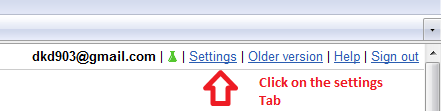
1) Click Settings and click the Labs tab

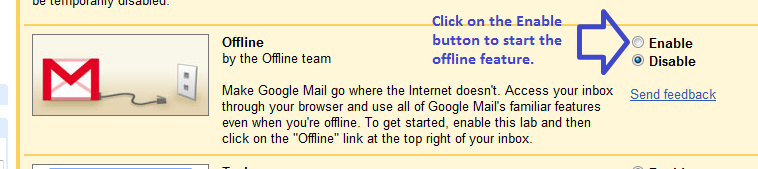
2) Select Enable next to Offline Gmail and Click Save Changes at the bottom of the page.
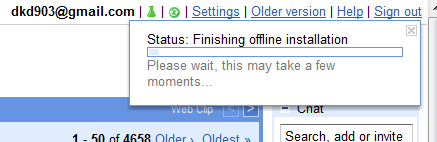
3) After your browser reloads, you'll see a new "Offline0.1" link in the upper righthand corner of your account, next to your username. Click this link to download Gears if you don't already have it.
PS: If you're on a slow connection you can choose to use "flaky connection mode" / "unstable connection mode" which is somewhere in between: it uses the local cache as if you were disconnected, but still synchronizes your mail with the Gmail server. You can check the official gmail blog post for further details on this article.