‘Show Current Music Track’ Google Talk workaround for winamp

By on February 6th, 2009     

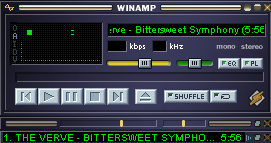
talk_logoUpdated your Winamp Player to version 5.5?  Want to 'Show your current track' in Google Talk?  Can't?  Read On!!

It's a small bug, Google Talk has a unique way of working with the Winamp player, considering the rest of the messengers work quite flawlessly with Winamp. Google Talk uses the 'winamp.m3u' file to 'get' the track information from Winamp. Now, there are many other ways to extract the current playing track information from Winamp, why Google Team decided to use 'winamp.m3u' file, nobody knows.

Even Google Help suggests a workaround which deals with adding 'winamp.m3u' file to the Winamp root, but this according to us is not an example of good programming, considering it's a flaw with Google Talk and not Winamp. Though it is open to much debate on whose fault it is, we believe Google has something to do with it.

But to give credit to the GOOG Team, GTalk does not freeze if you are using older versions of Winamp but freezes only if you use version 5.5 . Enough of the theory, here goes the fix:

  1. Close both Winamp and Google Talkwinamp
  2. Go to the root directory of Winamp, usually C:\Program Files\Winamp (if Winamp is installed in any other directory other than C:\, then replace C:\ with that drive letter)
  3. Go to Tools (menu bar)->Folder Options->View (tab)->Hide extensions for know file types, remember to uncheck this option.
  4. Now in the root folder of Winamp, create a new file, i.e., Right Click->New->Text Document, it would show New Text Document.txt by default.
  5. Rename this file to winamp.m3u, a prompt shows you a warning that the file may become unusable, Click on Yes and that's it.

'Show Current Music Track' would now be working, start showing your friends of what you're listening to :)

This is just a workaround, you might want to check this out too.


         Submit to Reddit     Stumble


Related Posts by Tags: , , , , ,


  • http://dk3v.wordpress.com kv

    god thanks dude for this!

  • http://digitizor.wordpress.com dkd903

    @kv, welcs

  • Leela Vinodh

    Thank you it worked for me

  • Ross

    Thanks so much! You’re awesome. =]

  • http://digitizor.wordpress.com dkd903

    @leela, @ross: thankyou

  • Karthik

    You are awesome

    • http://digitizor.com The Digitizor

      Hey Kartik, Thanks a lot for liking our article, you can subscribe to our feed for more such articles

  • Pingback: metavital's me2DAY

  • Wachira

    Thanks,

    • http://digitizor.com The Digitizor

      @ Wachira, Welcome. You can subscribe to our feed for more such articles

  • http://www.gir.com gireesh

    thaks a lot/////dear frnd……

    • http://digitizor.com The Digitizor

      Hey gireesh, Welcome!

  • ajinkya

    itz really nice help…. due to which i can successfully show my current songs to my friends….. thanks 4 the help

  • Aravind

    Doesn’t work

    • http://digitizor.com shashankkosta

      You might want to try it again, it does work.

  • Bryan

    Nice! I almost didn’t think it’d work beucase you didn’t mention the fact that google talk freezes completely when I switch to that option and that’s what mine does. But it certainly does work.

    Thanks ^_^

    • http://digitizor.com The Digitizor

      Welcs man!

  • Priyanka

    Hey it works and I was banging my head on wall for ages about this issue. Thanks so much Shashank.

  • http://digitizor.com shashankkosta

    Welcome Priyanka.

  • Sharad

    Dude its awesome man thanks a ton

    • http://digitizor.com The Digitizor

      Welcome Sharad, We are glad to be of help to you!

  • b

    Thanks a great big bunch. I didn’t know that your playlist has to be in winamp in the first place to get a status message. I keep trying in wmv player, and it never works. Now i tried it with winamp, and it works just gr88. Thanks awfully for your help, and i really appreciate it…

  • http://daveferrick.com Dave Ferrick

    Thanks for this article. Works like a charm. Nine months later and still quite relevant. And I entirely agree that it comes off as poor programming, seemingly putting the fix back on winamp.

  • BaTheGr8

    thank man………u r awesome..keep it up

  • k.haz

    Thanks dude,,its working,,
    u r awesome,,
    ;-)

  • manjunath

    thank u soooooooooooo much

  • Sdf

    Awesome … thts working like a charm

  • Colinmitchellweb

    Wow it worked great! At first I was like.. cmon no way… But it worked flawlessly. Thanks!

    • Anonymous

      Glad we were of help!

  • Kinyua Dan

    thanks!!! works wonders

    • Anonymous

      Glad, we were of help :-)

  • Suthahar

    Thumps Up dude..Working great!!

  • THANKS A LOT

    thank youuuuuuuuuuuuuuuuuuuu. IT’zzzzzzzzzzzzzz WORKINGGGGGGGGGGGGGGGGGGGGGGGGGGG

    • Anonymous

      Glad, we were of help :-)

  • KD

    Wow!!! Gtalk show current music track didn’t work with windows media player on windows 7 but with winamp and your method it works on windows 7 enterprise. Thanks…

  • http://digitizor.com Debjit

    Thank You :-)


‘Show Current Music Track’ Google Talk workaround for winamp was originally published on Digitizor.com on February 6, 2009 - 5:43 pm (Indian Standard Time)