Read emails in your GMail inbox using a feedreader
 Opening your GMail inbox everytime you wanted to check for any new e-mail is really a hassle. Plus if you are on a slow internet connection then GMail takes ages to load or you may find yourself in a less feature enabled - HTML mode of GMail. This has many solutions. You can use google gears to switch to the GMail offline version, use an email client like thunderbird or you can use a feed reader to read your new emails. The first to methods still require you to open your inbox manually everytime if you want to chack for email.
But the beauty with subscribing GMail in a feed reader is that you do not need to check for new email in your inbox. If a new mail arrives you will be notified by your feedreader. And with GMail, subscribing to the inbox becomes even easier. Your GMail inbox has a hidden ATOM feed located at http://mail.google.com/mail/feed/atom. You can subscribe to this feed in your feed reader. Once you do this, your feed reader will ask for you GMail login credentials (username and password). Key in the details and you are done.
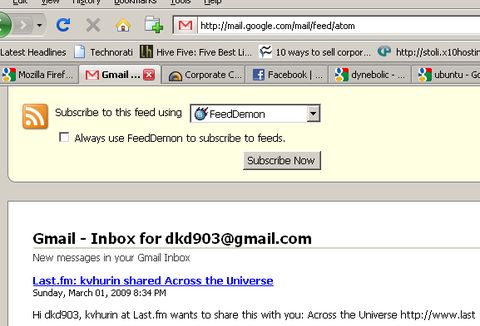
If you are using Firefox Browser then you may notice the RSS icon in the browser bar when you are in your inbox.

The feed that is supplied by GMail is password protected and NOT all feed readers support subscription to password protected feeds. Here is a list of feed reading programs that support Atom 0.3, SSL/HTTPS, and HTTP authentication and will work with Gmail's Atom feed:
Windows: BottomFeeder, FeedDemon/NewsGator, NewzCrawler, SharpReader, RSSOwl
Mac OS X BottomFeeder, Netnewswire, Shrook
Linux BottomFeeder, RSSOwl
Online NetVibes , Google Reader (Although google reader doesn't support direct subscription to password protected feeds, you can use this workaround to subscribe to your GMail inbox in Google Reader)
Technorati Tags: gmail, feed, reader, subscribe, inbox