 HyperTerminal is a Windows XP application that helps you to connect your computer to other remote computers. This application is also used by NetAdmins to connect their laptops to switches to perform regular maintenance operations.
But Windows Vista or Windows 7 do not include this application by default. All the alternatives available are either paid and the free ones are not up to the mark. In this article we will tell you how to install the Windows XP’s HyperTerminal client on Windows Vista or Windows 7.
First of all you need to get access to a Windows XP machine and copy two files hypertrm.dll and hypertrm.exe from that system to your target Windows Vista or Windows 7 machine. Alternatively, you can download the files in a zip-package from here. Once you have the zip file, you need to extract the two files from that package to your target system (Windows Vista or Windows 7). CHeck this screenshot below.
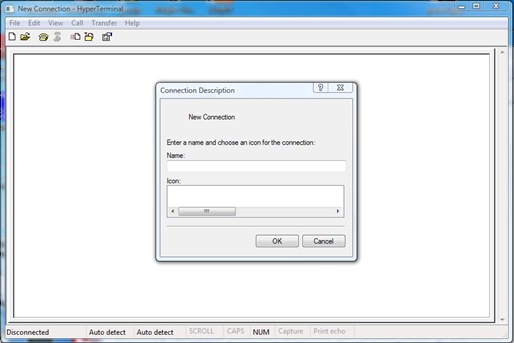
Make sure you keep the files hypertrm.dll and hypertrm.exe in the same folder. Now you can launch the HyperTerminal client by double clicking the hypertrm.exe file. And there you have a fully working HyperTerminal client.
This HyperTerminal client functions normally on your Windows Vista or a Windows 7 system as it would on any other Windows XP system. The best part about this method is that the HyperTerminal client you get this way is both free and it works.