Windows 7 tip: Preview audio and video files before playing
 Windows 7 has a bunch of all new features one of which is the File preview feature. This one comes real handy when you need to know what exactly the audio file contains or what does the video file have to show. This can be used for previewing text files and other documents too. In this article we will tell you how to preview audio, video and even text files in Windows 7.
First and foremost you have to enable the File preview feature. For this you can go through our detailed guide on how to enable the File Preview in sidebar feature in Windows 7. After you enable this feature you can see an extra sidebar in every My Computer (or files and folders) related window that you open from now on.
Audio Preview
Now on when you click on an Audio File you will see the audio preview in the preview pane that has a play button which you can click to start the audio.
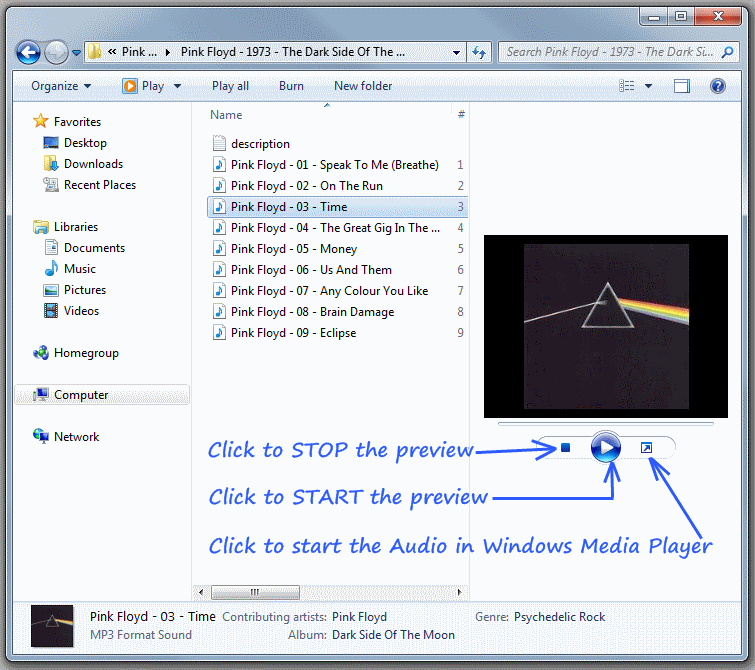
Audio Preview in Windows 7
Video Preview
Similarly for Video files, you can click on the preview to start the video file in it's associated player. One drawback is that you do not get any video preview.
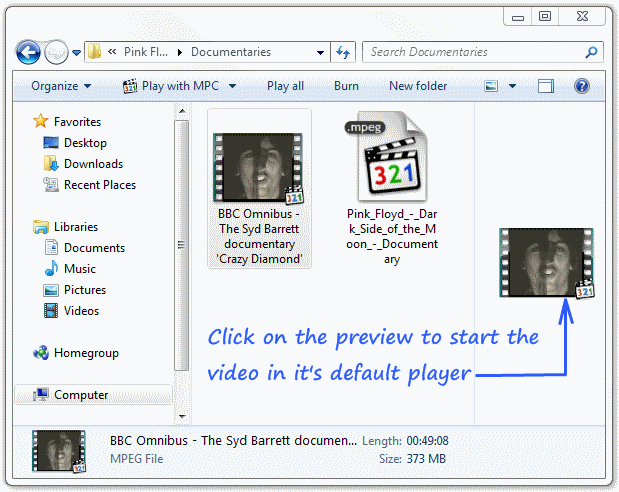
Video previews in Windows 7
Text and Documents Preview
Like Audio and Video files you can get previews for text files and documents.
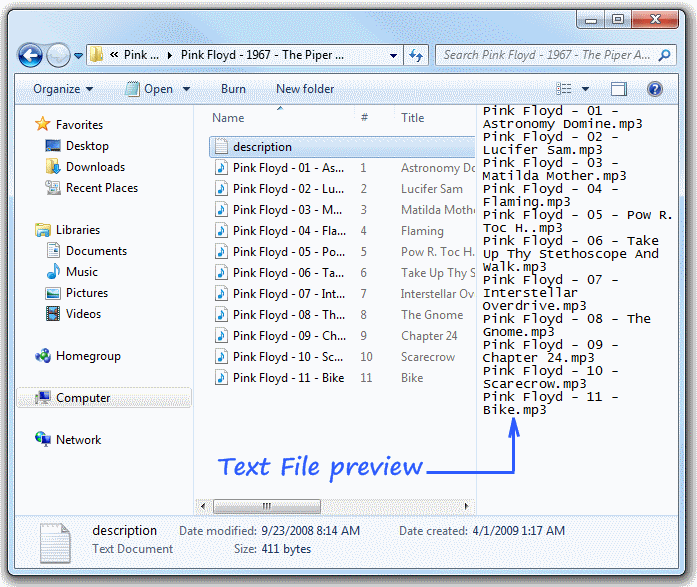
Preview Text files in Windows 7