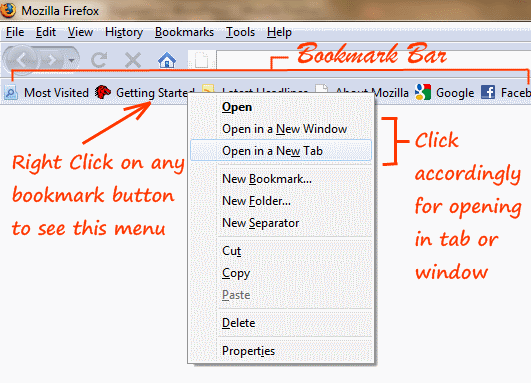
 Firefox browser has a quick Bookmark bar just below the address bar where you can drap and drop tabs (in which websites are open) to bookmark them. Now in order to browse the bookmarked website from this Bookmarks bar, you just have to click on any of the bookmarks. You will see the website opens in the same tab every time you click on any bookmark. So here is a quick tip that will help you to open bookmarks in new tabs or windows.
Right click on any of the bookmarked website buttons and you will see a menu that pops up, from that menu, you can select the options for opening the website either in a tab or a window. You can see this screenshot below.