Ubuntu Karmic Koala is not only good, it is great. I got to use it on my laptop and was simply awestruck. But I faced a hiccup initially when I started Firefox to browse the internet: No website would open. In case you are facing the same problem too, here is a simple fix that will let you browse internet properly in Ubuntu Karmic Koala.
The problem is with IPv6. If you are on a IPv4 network (which is generally the case), you have to disable IPv6 on your computer (Ubuntu Karmic machine) and Firefox browser. There are three different ways to disable IPv6 on your system. You can either try all or only one.
Disabling IPv6 right away at boot up
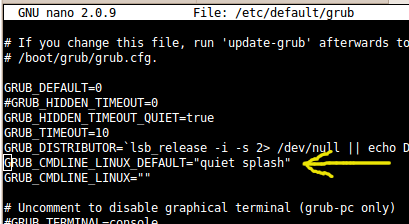
Using you favorite text editor edit the file /etc/default/grub and look for a parameter: GRUB_CMDLINE_LINUX_DEFAULT=”quiet splash”. You have to delete this entire line and replace it with: GRUB_CMDLINE_LINUX_DEFAULT=”ipv6.disable=1 quiet splash”. After this, you have to issue this command in a terminal in order to update you grub configuration: sudo update-grub
Disabling IPv6 from Firefox Browser
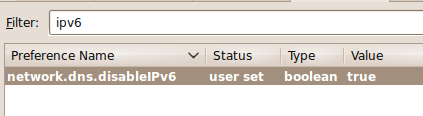
Type in about:config in your address bar and hit enter. Click the I’ll be careful I promise button and proceed. Next, type in network.dns.disableIPv6 in the filter. You will see that only one matching property shows up. Now double click on the property listing to change it’s value to true.
Disabling IPv6 from Network Manager
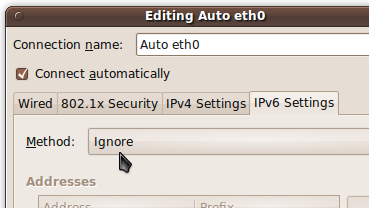
Goto System > Preferences > Network Connections in your Gnome desktop. Now click on the connection you use and edit it by clicking on the edit button. In the Edit box you can find a tab called IPv6 Settings. All you need to do is just click on that tab and select the method as Ignore from the drop down.