 Kubuntu 9.10 Karmic Koala has been out for a little more than a week now. It is a very solid release and comes with a host of new impressive features – one of them being the Ayatana Notification. Basically, the Ayatana Notification is an alternative to the KDE notification that we are used to by now. By default the Ayatana Notification is disabled by default. But I believe that you would be better off replacing the KDE Notification by the Ayatana Notification. Here are the reasons:
- The Ayatana Notification can be clicked through. This means that when you bring the mouse over the notification, the notification fades and you can click on whatever is behind the notification. With the KDE Notification this is not possible and you have to close the notification to get to what is below it. Believe me that can become very irritating when there are a lot of notifications at a time. I consider this the biggest single reason why you should use the Ayatana Notification.

This is the how the notification normally appears. 
If you bring the cursor over it, the notification fades and if there is anything clickable underneath, you can click it. - The position of the Ayatana Notification can be changed very easily. You can select one position from eight different positions positions along the border. With the KDE notification, however, this is not possible and it appears according to the location of the system tray.
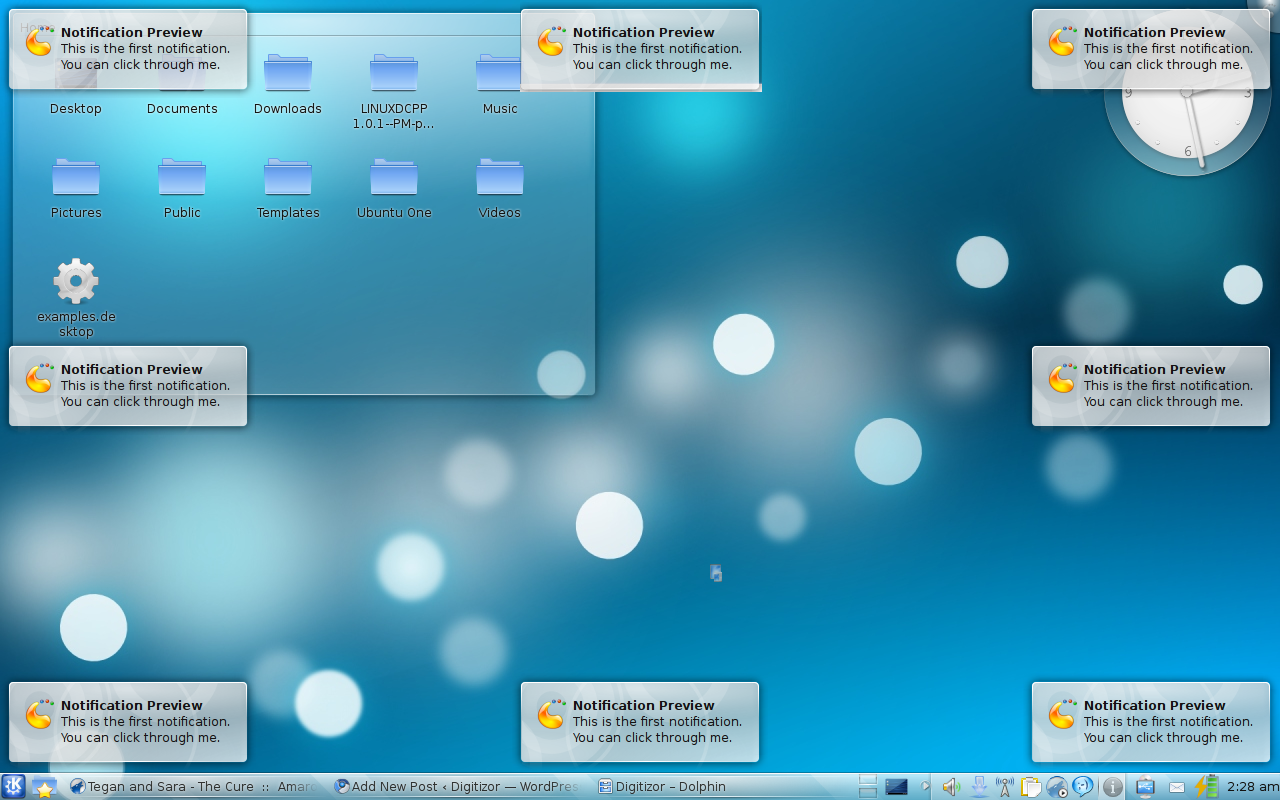
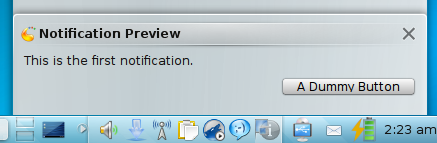
These are the various positions where the Ayatana Notification can appear. (Click to see full size) - We all want our desktop to look better, don’t we? The KDE Notification is good looking but the Ayatana Notification is much prettier. Okay many may say that it is a matter of taste. But take a look at the Ayatana Notification and the KDE Notification below and can you seriously say that the KDE Notification looks better?
Now if you are ready to enable the Ayatana Notification, you can read how to do it here.