How to disable the GNOME Keyring?
GNOME Keyring is a place where passwords (and encryption keys) for a user are stored in an encrypted file. The user enters a global password when first accessed. But at times you may end up forgetting the password and then you have to change it. In this article we will tell you how to disable the GNOME Keyring completely.
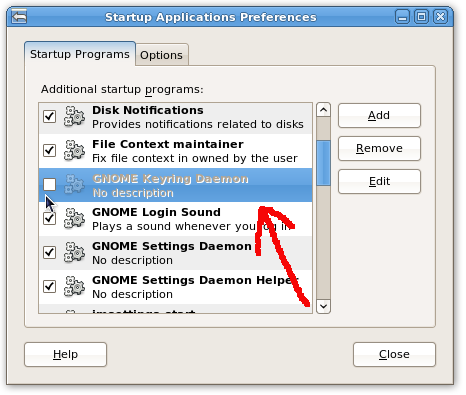
Disabling GNOME keyring is very simple. All you need to do is launch your Start Up application preferences from System > Preferences > Startup Applications.
Once the Startup Applications window opens all you need to do to disable is is just uncheck the entry for GNOME Keyring Daemon and click on close. Next time when you log into your account and try to access any application that uses the keyring, you wont be prompted for the keyring password any more.