 A system-wide PulseAudio equalizer was developed by Ubuntu Forums memeber, psyke83. The equalizer is now available in his PPA for easy installation in Ubuntu. In this article we will tell you who you can install it from the PPA in Ubuntu 9.10 and Ubuntu 10.04.
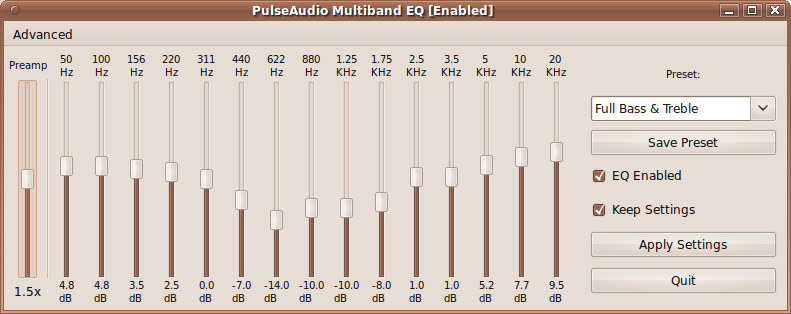
To install psyke83’s system-wide PulseAudio equalizer, follow the following steps:
- Open the terminal from Applications -> Accessories -> Terminal.
- Add the repository with the command:
sudo add-apt-repository ppa:psyke83/ppa
- Update the software list with:
sudo apt-get update
- Finally, install the equalizer with
sudo apt-get install pulseaudio-equalizer
In case of problems, you can get support at this thread in Ubuntu Forum.
Thanks Andrew!