How To Install Ubuntu Software Center 2.1.5 In Ubuntu 10.04 Lucid Lynx
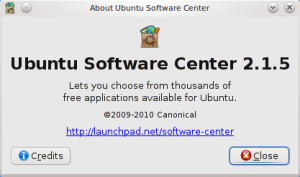 The newest version of Ubuntu Software Center - Ubuntu Software Center 2.1.5 - has been released today. It now has plugins support. Visually there is very little change. In this article we will tell you how you can install Ubuntu Software Center 2.1.5 in Ubuntu 10.04 Lucid Lynx.
First of all open the Terminal. Then execute the following commands one by one:
(Do not copy the $ symbol. It simply indicates the start of a new command)
$ cd ~
$ wget https://launchpad.net/ubuntu/+source/software-center/2.1.5/+build/1876109/+files/software-center_2.1.5_all.deb https://launchpad.net/~guido-iodice/+archive/guiodiclucid/+files/aptdaemon_0.31+bzr403-0ubuntu1~ppa1_all.deb https://launchpad.net/~guido-iodice/+archive/guiodiclucid/+files/python-aptdaemon-gtk_0.31+bzr403-0ubuntu1~ppa1_all.deb https://launchpad.net/~guido-iodice/+archive/guiodiclucid/+files/python-aptdaemon_0.31+bzr403-0ubuntu1~ppa1_all.deb
$ sudo dpkg -i aptdaemon_0.31+bzr403-0ubuntu1~ppa1_all.deb python-aptdaemon_0.31+bzr403-0ubuntu1~ppa1_all.deb python-aptdaemon-gtk_0.31+bzr403-0ubuntu1~ppa1_all.deb
$ sudo dpkg -i software-center_2.1.5_all.deb
Thats it. Start the Software Center and You will get the new one.