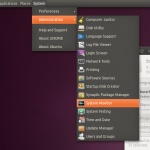
 Ubuntu 10.10 maverick Meerkat is still in alpha and the theme for it has not been finalized yet, it is still being developed. The Canonical Design Team have recently changed some color schemes and tweaked some other parts of the theme preparing it for Maverick.
The changes are not drastic like the change from Humanity to Ambiance/Radiance. In fact it is still Ambiance and Radiance but with some little tweaks. In Ambiance, the color orange makes a comeback and the scrollbars, buttons, progress bars etc. have also been changed a little. None of these changes are drastic but they create a good overall effect. Radiance is not yet ready.
To test the new themes, they have made it available for Lucid and Maverick. Radiance is not really finished, so you can test Ambiance now. Execute the commands below to do it:
sudo add-apt-repository ppa:murrine-daily/ppa
sudo apt-get update
sudo apt-get install light-themes gtk2-engines-murrine