 Microsoft Powerpoint Presentations are a great way to present your ideas to the world – may be in your office to your clients, peers and your boss. Using presentations you can keep your audience focused to whatever you are speaking or presenting. And before starting your presentations, distributing handouts is yet another good practice to keep your audience focused. In this article we will tell you how to Create Powerpoint Handouts in Word.
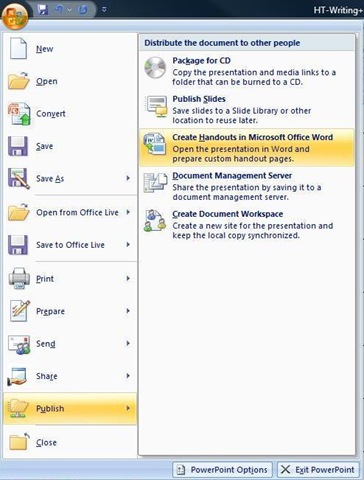
First, Click the Office button and select Publish and then click Create Handouts in Microsoft Office Word. Check this screenshot below:
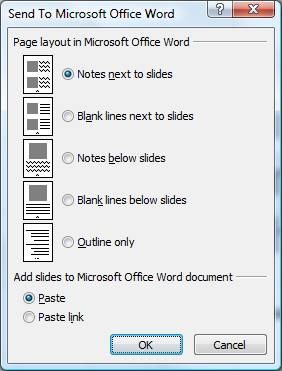
Now select how would you want your presentation converted to Word. Check this screenshot again: