Unity in Ubuntu 11.04 is not so easy to configure and it has a few annoying bugs. One particularly annoying bug is that in a multi-monitor setup, the launcher shows up on the right monitor and not on the left one even if the left one is set as the primary monitor. As a result of this, the launcher is stuck in the middle of the screen making it virtually impossible to use if set to auto hide.
In case you too are facing this bug, here is a quick work around to fix this issue:
- Launch the Terminal.
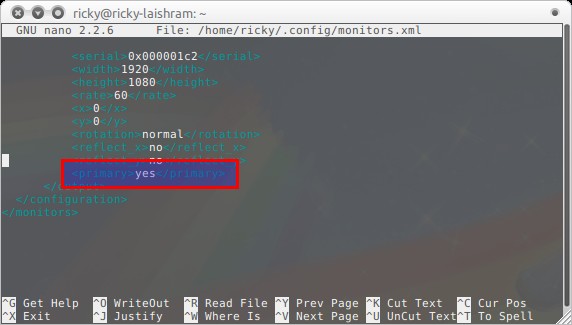
- Open the file ~/.config/monitor.xml in your favorite text editor. In am using nano in the example below.
$ nano ~/.config/monitor.xml
- In the monitor.xml file, look for the configuration of your left monitor.
- Once you find it, look for the line <primary>no</primary>.
- Change it to <primary>yes</primary>.
- Save and close the file.
- Log out and log in again.
You should have the Unity launcher on the left primary monitor now.
Note: This will not work if you use the proprietary ATI driver.
[source]