The new Mozilla Firefox 4 browser has done away with it’s cool RSS Feed functionality that let you subscribe to the RSS feeds of blogs and websites directly from the address bar. Well, a lot of users are big fan of that feature and even we are. So, in this article we will tell you how to get back the subscribe to RSS Feed icon in the Mozilla Firefox 4 address bar.
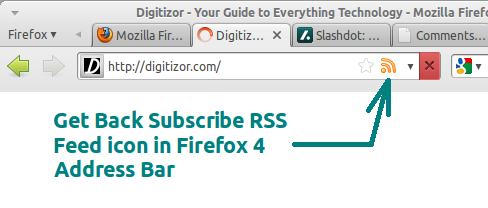
Getting back the Subscribe RSS Feed icon and the functionality is simple. All you need to do is just install the following Firefox 4 add-on:
RSS Icon: addons.mozilla.org/en-US/firefox/addon/rss-icon (Direct Download Link)
Restart your browser after installing this add-on. You might want to subscribe to this feed in order to test this add-on. In case you have not downloaded Firefox 4 browser yet, then visit this page and select your platform.