 Laptops have become a bare necessity of working professionals on the move. And when it comes to operating these Laptops, the batteries that power them drain very fast and the users just can’t stop complaining about such short lives of Laptop batteries. In this article we will tell you about two tools using which you can work more efficiently and extract more juice out of your Laptop battery during work.
These tools are the BattCursor and Battery Bar about which we talk in detail below.
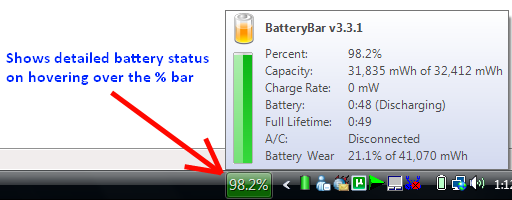
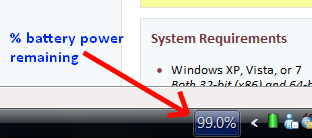 Battery Bar places a small text bar in the taskbar at the bottom-right which always shows you the currently available battery power in %-age. So no need of hovering over the Windows Power meter icon in the taskbar again and again to get the %-age battery power remaining. You can download it from here. We have also attached a detailed screenshot below.
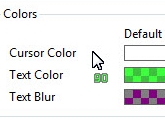 BattCursor puts into use an innovative way to show you the current available battery power. It displays the current available battery power in %-age text just below your mouse pointer so that wherever you move your mouse pointer the %-age text moves with it and is visible all time. The text color is green by default and is customizable.
If you know about more such awesome tools then do let us know by leaving a comment below or sending a mail to mailman[at]digitizor[dot]com.