We have already told you about Pithos – one of the best Desktop clients on Linux for Pandora.com. Pithos is meant to run on GNOME but runs equally well on KDE and other desktop environments. It has good features like support for the media keys, Last.fm scrobbling and making your own stations.
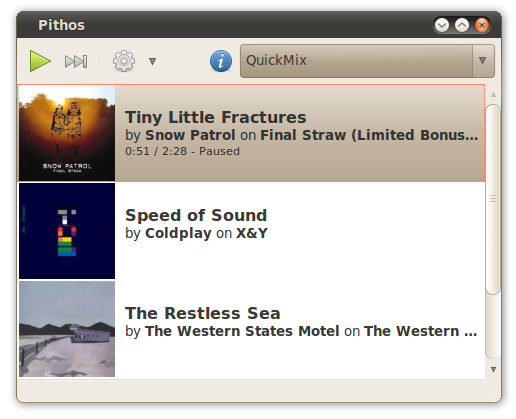
In this article we will tell you how to install Pithos Pandora.com Client In Ubuntu Linux and other distributions. This tutorial will work on Ubuntu 11.04, 10.10, 10.04 and 9.04. But before installing you might want to read a full review of Pithos.
Installing Pithos in Ubuntu
Step 1 Install the Pithos repository:
sudo add-apt-repository ppa:kevin-mehall/pithos-dailyStep 2 Update the repository:
sudo apt-get updateStep 3 Finally Install Pithos:
sudo apt-get install pithosInstalling Pithos in Fedora
Step 1 Install all the required dependencies:
sudo apt-get install \ python-distutils-extra python2.6 python-xdg python-dbus \ python-gobject python-gst0.10 python-notify python-gtk2 \ gstreamer0.10-plugins-good gstreamer0.10-plugins-badStep 2 Now proceed to downloading, building, and install Pithos:
bzr branch lp:pithos pithos cd pithos sudo python setup.py install --prefix=/usr/local