 I normally use Kubuntu rather Ubuntu, so although I have been using Lucid since the day it was released, I have never noticed a rather annoying bug with Gwibber in Ubuntu.
In my Ubuntu installation, Gwibber updates only the replies to me on Twitter and not the timeline. At first I thought it must be some setting with Gwibber, but I found out that it is a bug. Although the bug has not been fixed yet, here is a walk-around.
Basically, the is bug is just because of the default language used in Ubuntu. Simply changing the default language will make Gwibber update the timeline again.
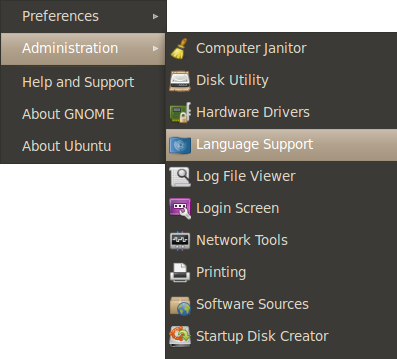 Go to System -> Administration -> Language Support.

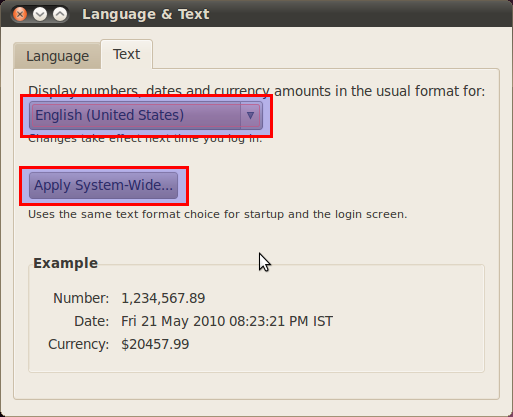
In the Language & Test window keep English (United States) at the top and click on Apply System-Wide. Go to the Text Tab, pick English (United States) from the drop down menu and click on Apply System-Wide.
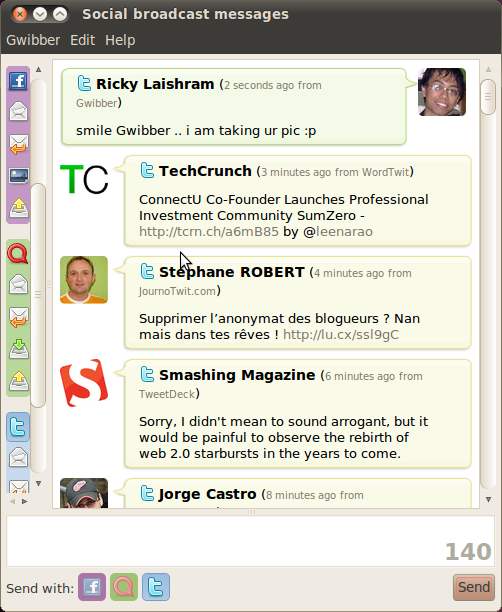
The next time you login, Gwibber should update the timeline.