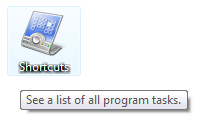
 Keyboard Shortcuts are always welcome in everything that is related to computers. Shortcuts help us become more productive and do our work fast! In this article we will tell you a simple trick using which you can unlock over 250 hidden mouse shortcuts on your Windows PCs. This works on both Windows Vista and the Windows 7.
Create A new folder on your desktop and name it: Shortcuts.{ED7BA470-8E54-465E-825C-99712043E01C}
The new folder that gets created is actually a System Folder that contains links to some 245 areas of your Windows Operating System. This works on both Windows 7 and Windows Vista. You can check a screenshot here:
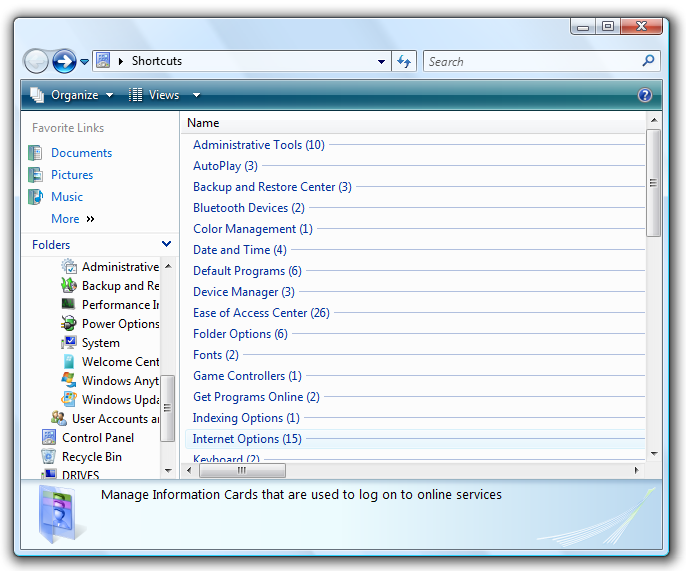
In case you still want more shortcuts, you can go on creating folders and naming them as listed under. This list comes from Richard Smith a Senior Consultant with Microsoft Services, UK:
LOCATION.{00C6D95F-329C-409a-81D7-C46C66EA7F33}
BIOMETRIC.{0142e4d0-fb7a-11dc-ba4a-000ffe7ab428}
POWER.{025A5937-A6BE-4686-A844-36FE4BEC8B6D}
NOTIFICATION.{05d7b0f4-2121-4eff-bf6b-ed3f69b894d9}
CREDENTIALS.{1206F5F1-0569-412C-8FEC-3204630DFB70}
NETWORKAPPS.{15eae92e-f17a-4431-9f28-805e482dafd4}
DEFAULTS.{17cd9488-1228-4b2f-88ce-4298e93e0966}
ASSEMBLIES.{1D2680C9-0E2A-469d-B787-065558BC7D43}
WIRELESS.{1FA9085F-25A2-489B-85D4-86326EEDCD87}
NETWORK.{208D2C60-3AEA-1069-A2D7-08002B30309D}
DRIVES.{20D04FE0-3AEA-1069-A2D8-08002B30309D}
PRINTERS.{2227A280-3AEA-1069-A2DE-08002B30309D}
REMOTE.{241D7C96-F8BF-4F85-B01F-E2B043341A4B}
FIREWALL.{4026492F-2F69-46B8-B9BF-5654FC07E423}
PERFORMANCE.{78F3955E-3B90-4184-BD14-5397C15F1EFC}
P.S.: The feature has been christened “GodMode” by many bloggers but actually this neat feature is intended to give developers quick access to areas of the operating system at Microsoft.