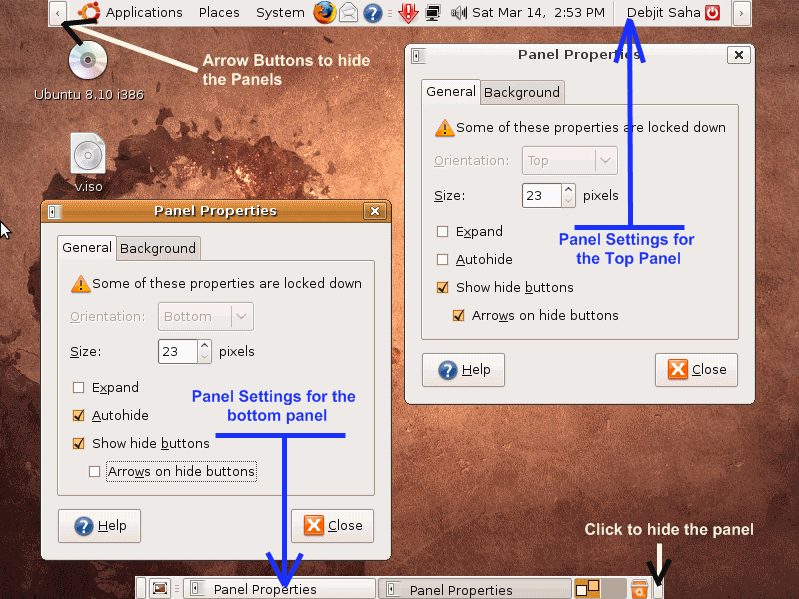
If you have read our Netbook buying guide and purchased one, it is time to set your programs and display of the operating system in such a way that you can maximise the viewable area on your Netbook screen. In this article we will show you how to optimize the Gnome Desktop of your Linux system (say you are using Ubuntu) so that you can maximize the viewable area of your Netbook Screen. 1) Right Click on the Top Panel of your GNOME Desktop, and click on properties. Now set Size = 21 pixels. Check (tick) the options Show Hide Buttons and Arrows on hide Buttons.
2) Right Click on the Bottom Panel of your GNOME Desktop, and click on properties. Now set Size = 21 pixels. Check (tick) the options Show Hide Buttons and Autohide.
You can also click on the hide panels on the panels to hide them which will further increase your viewable area of the screen.
Related: Netbook Buying Guide , Ubuntu / Android Powers a netbook