 Chrome is a browser revolution from Google. It’s built from scratch by Google and has all new features and some innovative ones. Although Google has not yet officially released a Chrome browser that works on Linux, we had shared with you a few ways in which you could possibly install Chromium (the base on which Google have built the Chrome browser) on your Linux system.
Except the Crossover Chromium, all other installs and builds of Chromium on Fedora 11 or Fedora 10 have been buggy till date. But, now we have a very decent solution for Chromium on Fedora and we will tell you how to go about installing a working build of Chrome (Chromium) on Fedora 11 and Fedora 10.
Google Chrome for Linux is now available officially. Click here to find out how to install it.
Installation of Chromium browser can be done in both ways – either manually or using the YUM updater. These packages have been specially built for Fedora 11 and are available for both 32 bit and 64 bit systems.
Install Using Packages (RPMs)
RPMs of the 32 bit and 64 bit versions of both Fedora 10 and Fedora 11 operating systems are available at http://repos.fedorapeople.org/repos/spot/chromium/. Download and install them by either double clicking the RPMs or by using the rpm -ivh <package-name> command. If you are looking for source RPMs, these can also be found at the link above.
Install Using YUM
One advantage of installing Chromium via YUM is that you will get updates to Chromium automatically. Also there won’t be any dependency problem while installing. All you need to do is just download the file: chromium.repo and save it to your /etc/yum.repos.d directory. Once done, then you can install Chromium by using the command: yum -y install chromium
Special note for 64bit version users
There have been many issues with the 64 bit version of the Chrome Browser. Please read this guide in order to successfully set up Google’s Chrome Browser of Fedora Linux.
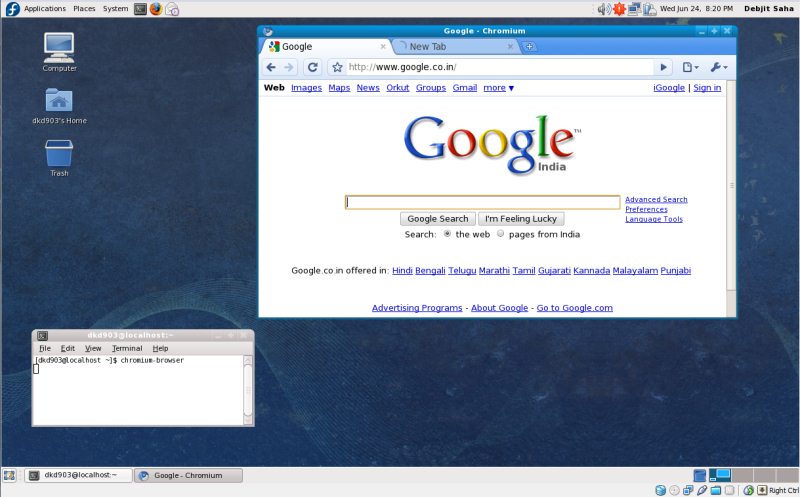
Chromium can be launched from Applications > Internet > Chromium Web Browser. You can also alunch it from the terminal using the command chromium-browser. Since this install is a development build, some advanced functionality such as Support for Plugins(including Flash Plugin), Printing and support for Google Gears will not be available until it’s next release. Google Chrome supports plugins and greasemonkey scripts by default but you have to enable them before using a script and plugin. Here is a quick tip on adding and removing search engines in Chrome.