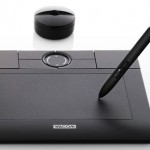
 If you have a Wacom Bamboo that you like to use with Ubuntu, here is a quick how-to to get it working in Ubuntu 10.04 Lucid Lynx in no time.
It is quite simple actually. Martin Owens has made a PPA from where you can install the required drivers etc.
So, to get started, open the Terminal and execute the following commands:
$ sudo add-apt-repository ppa:doctormo/wacom-plus
$ sudo apt-get update
$ sudo apt-get install wacom-dkms xf86-input-wacom
After finishing, reboot and it should be working.
If you get an error saying that the package xf86-input-wacom was not found, then you can try installing an alternate XServer input driver using this command:
$ sudo apt-get install wacom-dkms xserver-xorg-input-wacom
[source: brettalton.com]