 Paint.NET is a photo editing tool for Windows system – small in size but heavily loaded with features. You can almost term it as the layman’s Photoshop. Although, Paint.NET has support for almost all famous file formats but it cannot handle other file formats such as the PSD (Photoshop Document – Adobe Photoshop’s Native Format). In this article we will tell you how to open or edit Photoshop PSD files in Paint.NET.
Step 1: Download the Paint.NET PSD Plugin from this page. (Direct Download)
Step 2: The download file will be a zip file that has a dll in it named: PhotoShop.dll. Now extract this dll file into the FileTypes folder of your Paint.NET install directory – C:\Program Files\Paint.NET\FileTypes for instance. (Download this dll file directly from the Digitizor Mirror)
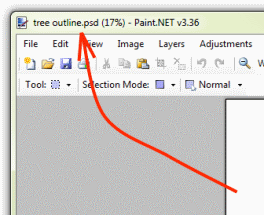
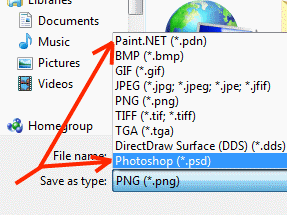
Step 3: Now restart (or start) the Paint.NET program. You will see that you can open and edit any PSD files with Paint.NET too. Cool, ain’t it? Here are a few screen shots: